
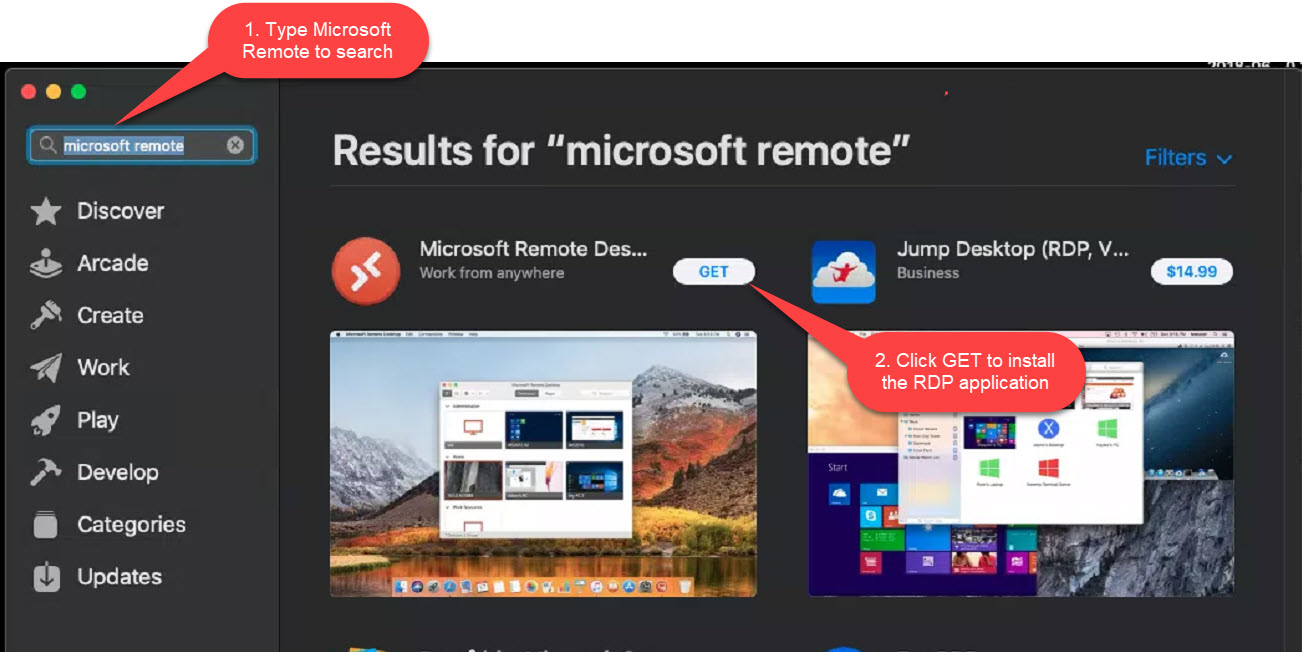
You will need to download the Microsoft Remote Desktop app from the App Store to connect:
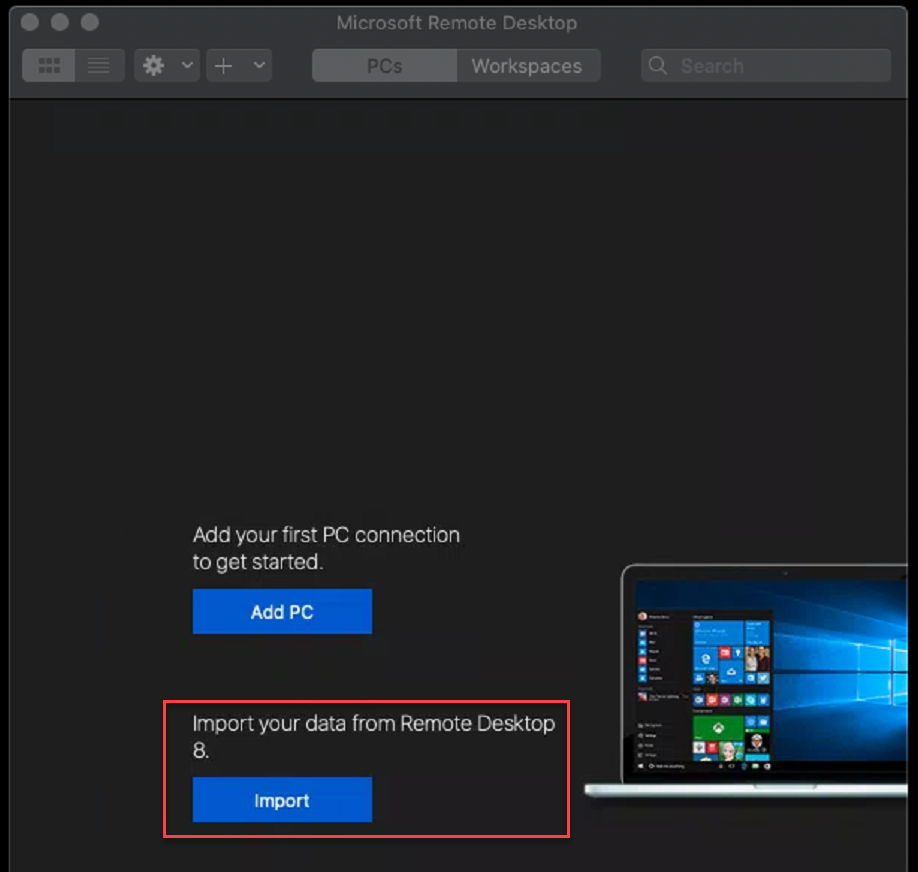
Once installed, open the Microsoft Remote Desktop app and click Import PC (if you do not see the import button, please refer to the next step):
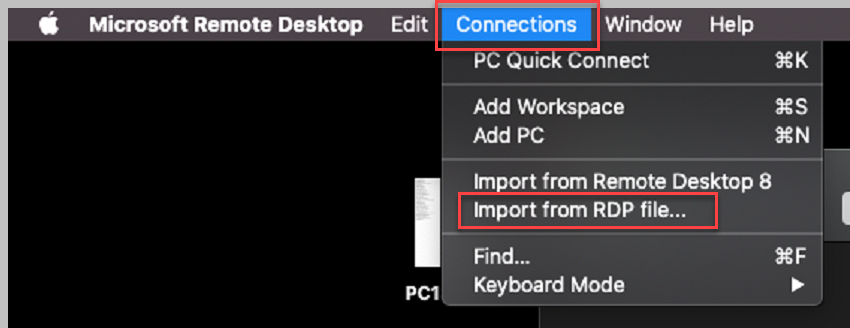
If you already have PC's added here, you can import the RDP file by clicking Connections and then Import from RDP file...:
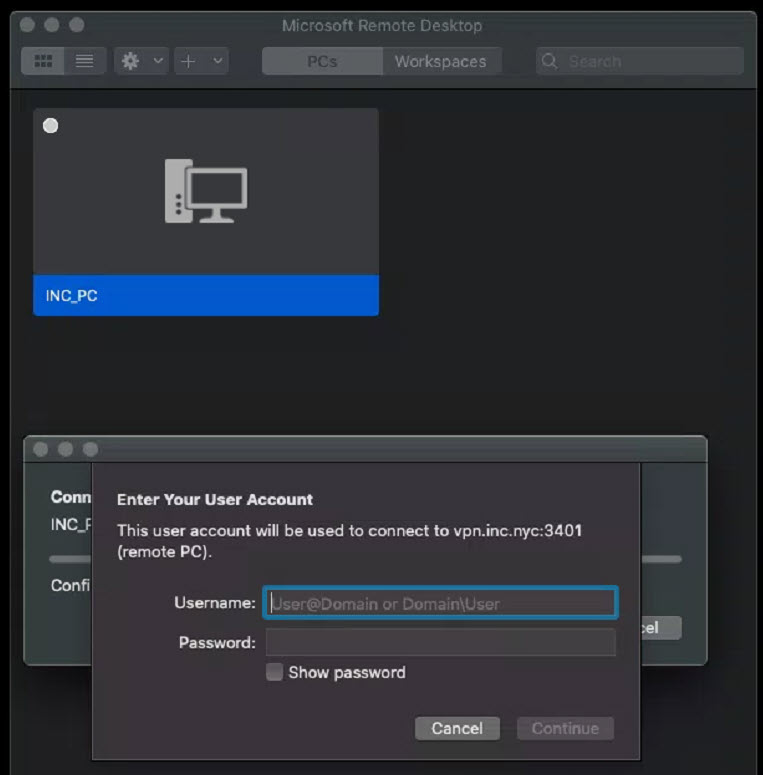
Click on the icon of the PC you just set up and you will be prompted to sign in to your PC. You will sign on with your credentials that you log in locally with but you will need to add the domain to the username like this: DOMAIN\username
Click Continue when finished:
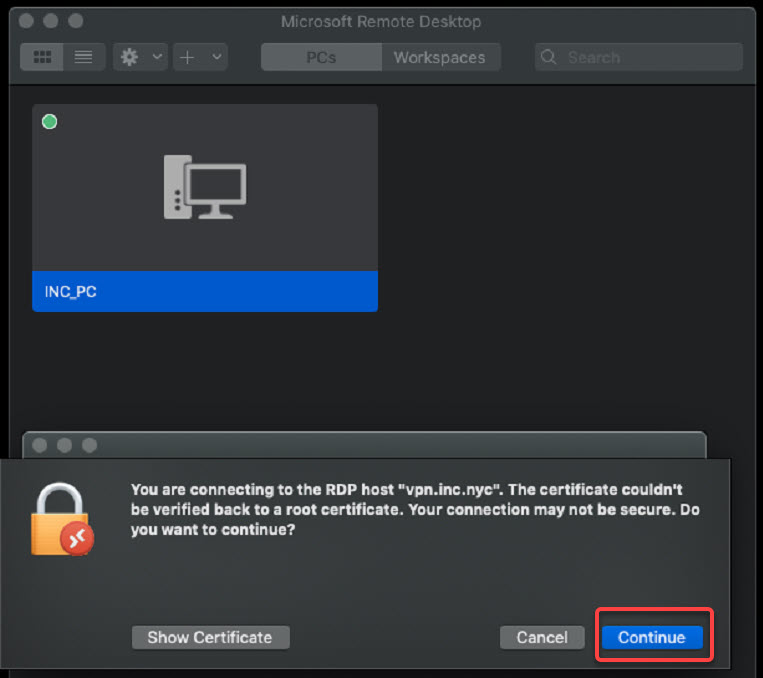
At the Security Certificate prompt, click Continue:
You are now connected to your PC.
Comments
0 comments
Please sign in to leave a comment.