
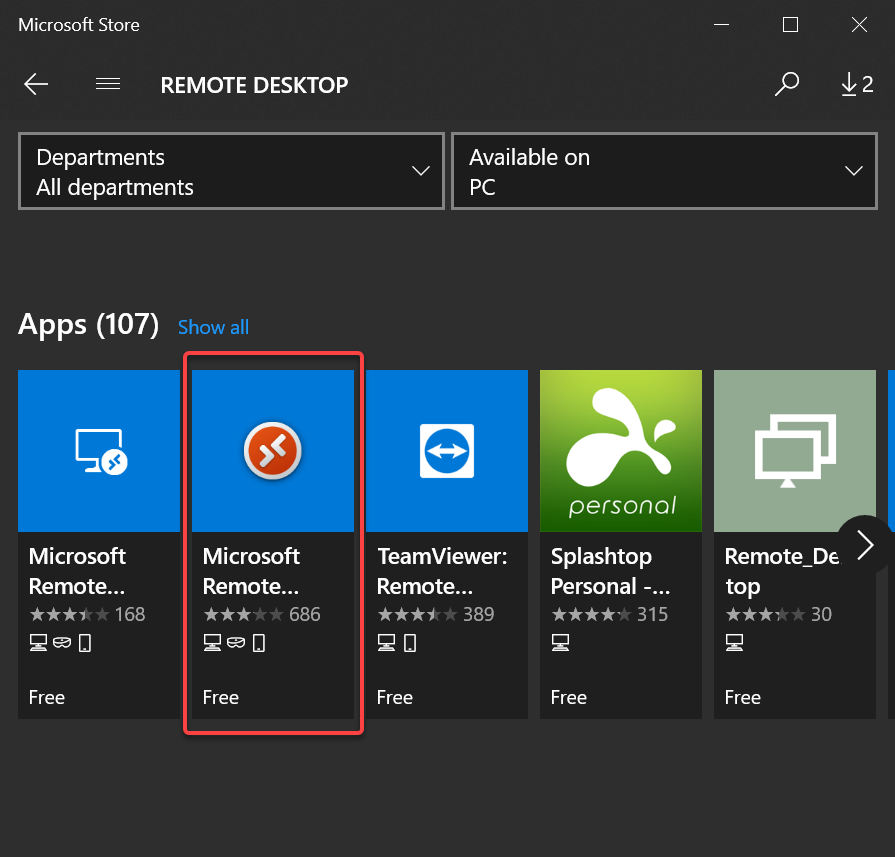
To download the new Microsoft Remote Desktop Client, open up the Microsoft Store and search for Remote Desktop. Click the option that looks like the one highlighted below:
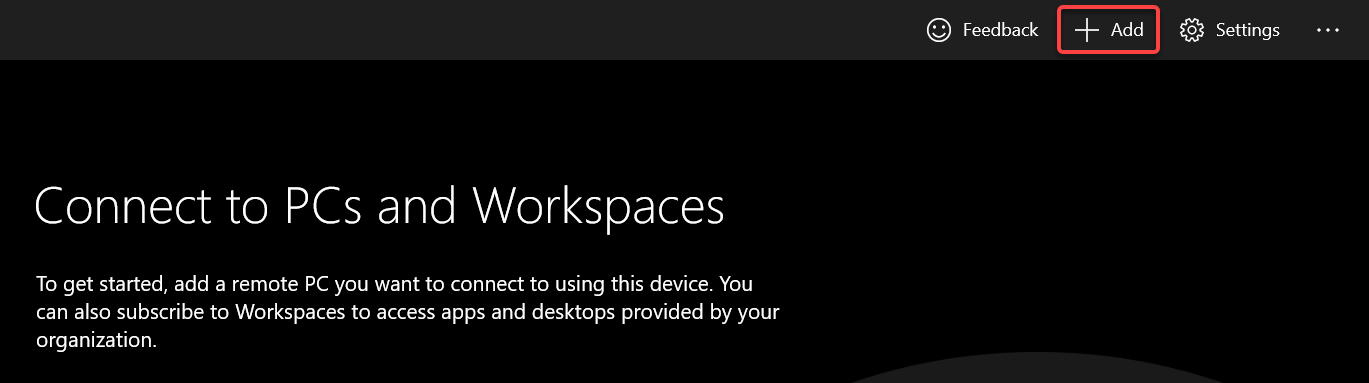
Open up the Remote Desktop app and click the +Add icon in the top left to create a new connection:
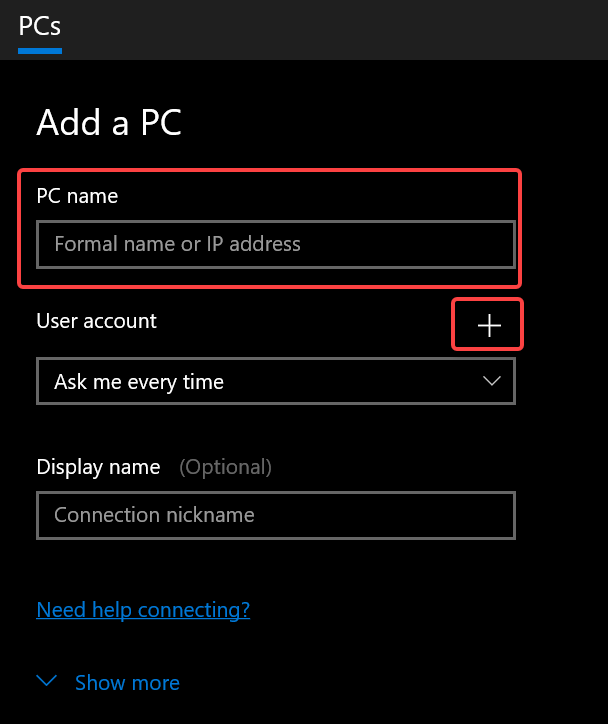
Under PC Name, enter the RDP URL provided to you. Then click the + to the left of User Account:
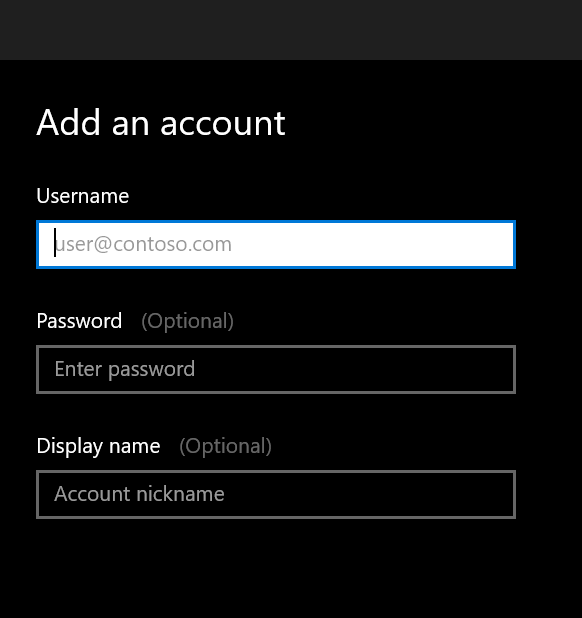
Under Username, enter your username you use when signing into your PC in the office. You can save your password in the Password field or enter it each time you connect. Under Display Name, give it a name like "Work Computer" so you recognize the computer in the Remote Desktop app and then click Save:
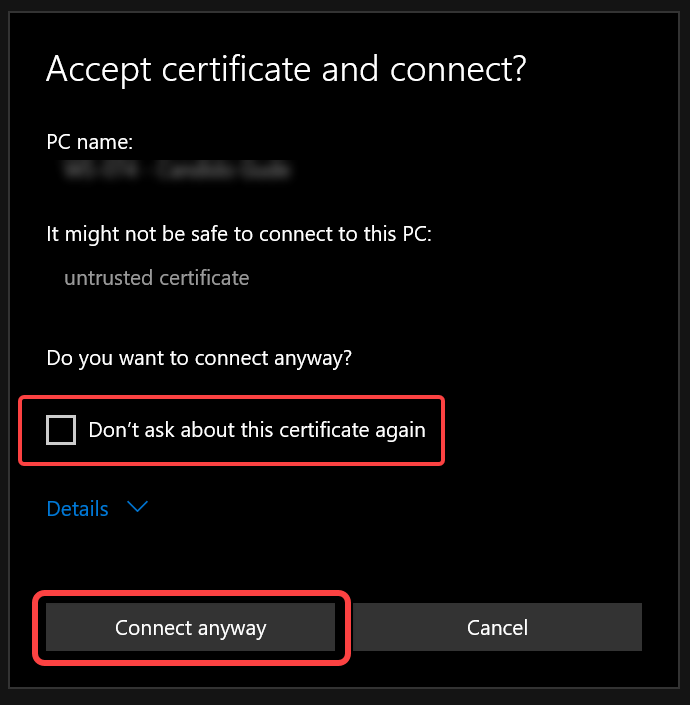
Your new connection will be in the list of Saved PC's, double click on the link to connect to your PC. The first time you connect you will get a pop-up that looks like this; click the box next to Don't ask about this certificate again and then click Connect Anyway:
You are now connected to your office PC.
Comments
0 comments
Please sign in to leave a comment.